
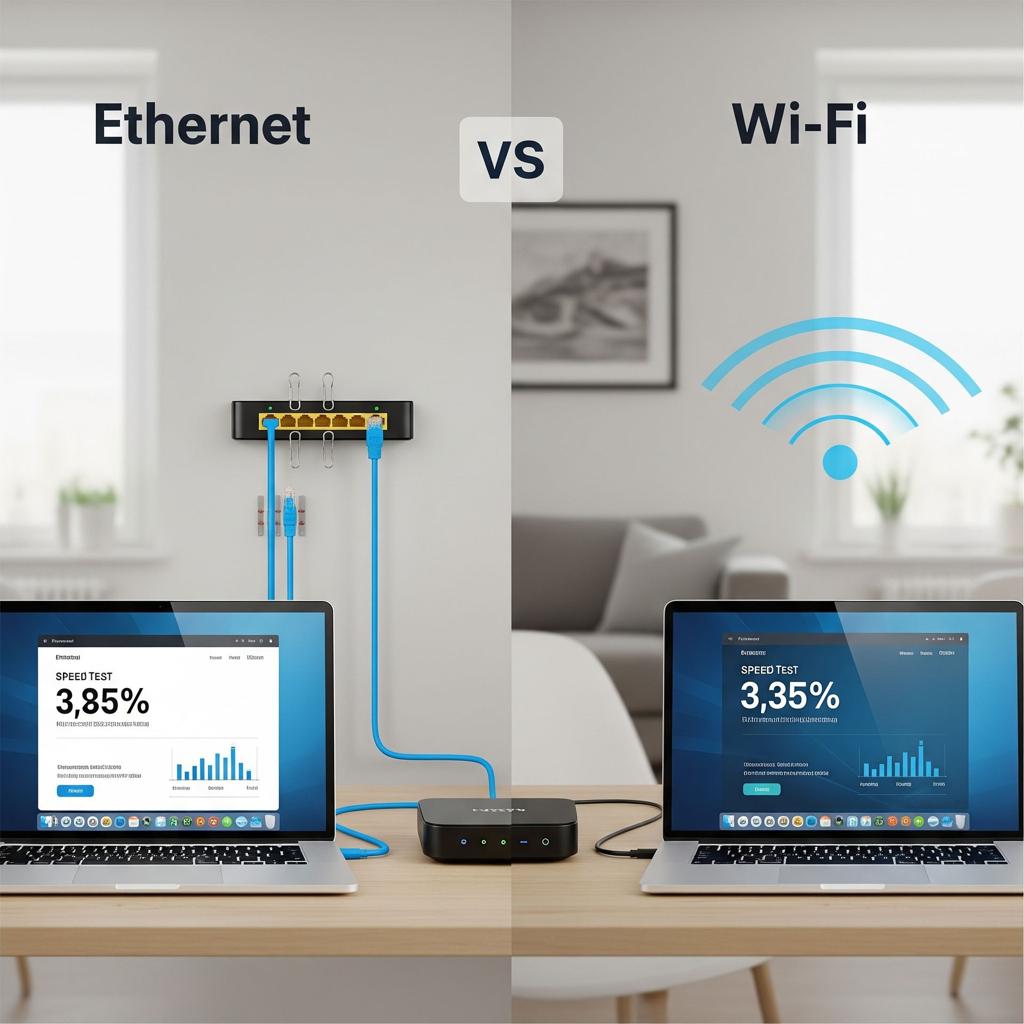
Ethernet vs Wi-Fi: Why Ethernet Is Faster & More Stable
Introduction: Ethernet vs Wi-Fi-Why Wired Connections Still Matter
In today’s connected world, most people rely heavily on wireless internet. However, when it comes to Ethernet vs Wi-Fi, the debate is far from over. While Wi-Fi offers convenience and mobility, Ethernet provides speed, stability, and security that wireless connections often struggle to match.
In fact, many professionals, gamers, and businesses still prefer Ethernet because it delivers consistent performance with minimal interference. Whether you’re working remotely, streaming content, or gaming online, choosing the right connection can make a significant difference.
If you want a deeper technical explanation of how Ethernet works, you can explore this helpful guide from Intel:
https://www.intel.com/content/www/us/en/gaming/resources/ethernet-vs-wifi.html
In this article, we will break down the key differences in Ethernet vs Wi-Fi, explore the advantages of wired connections, and explain when Ethernet is the better choice.
Understanding Ethernet vs Wi-Fi Connections
What Is Ethernet and How Does It Work?
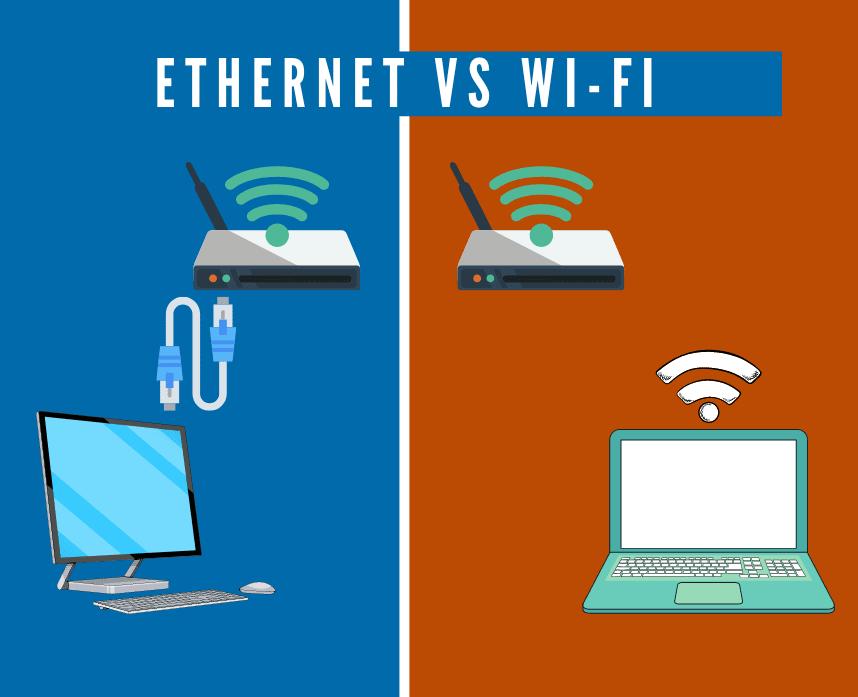
Ethernet is a wired networking technology that connects devices directly to a router or modem using a physical cable. Unlike Wi-Fi, which transmits data through radio waves, Ethernet relies on dedicated cables, ensuring a stable and uninterrupted connection.
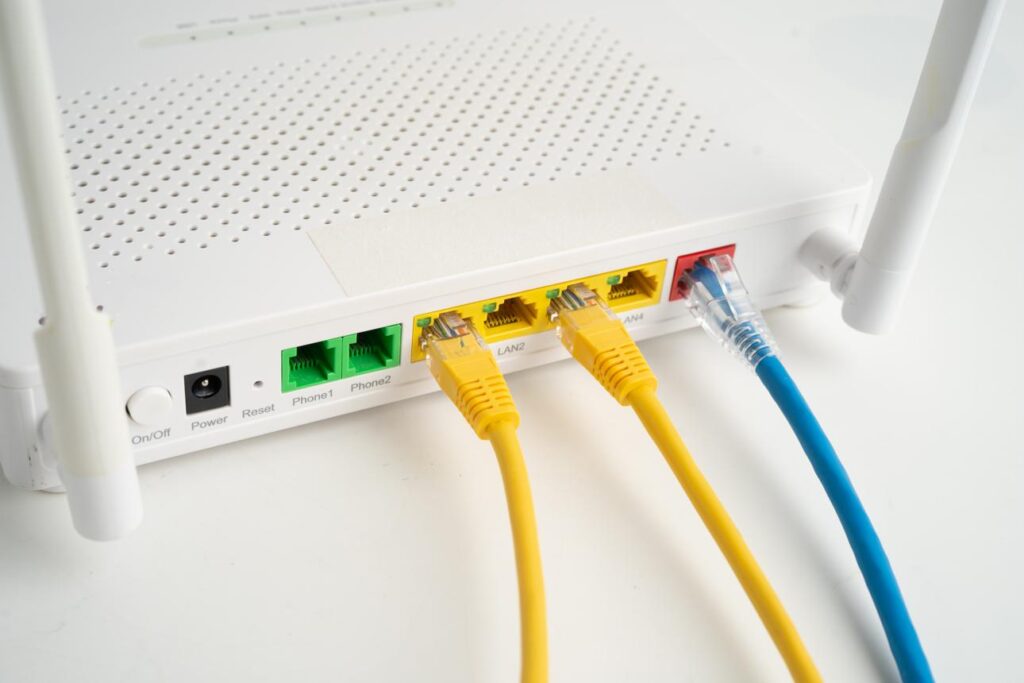
Because Ethernet uses a direct physical link, it avoids many of the common issues associated with wireless networks, such as interference, signal drops, and congestion.
What Is Wi-Fi and How Does It Work?
On the other hand, Wi-Fi is a wireless networking technology that allows devices to connect to the internet without cables. It uses radio frequencies to transmit data between devices and routers.
Although Wi-Fi is incredibly convenient, it is often affected by:
- Distance from the router
- Physical obstacles like walls
- Network congestion
- Interference from other devices
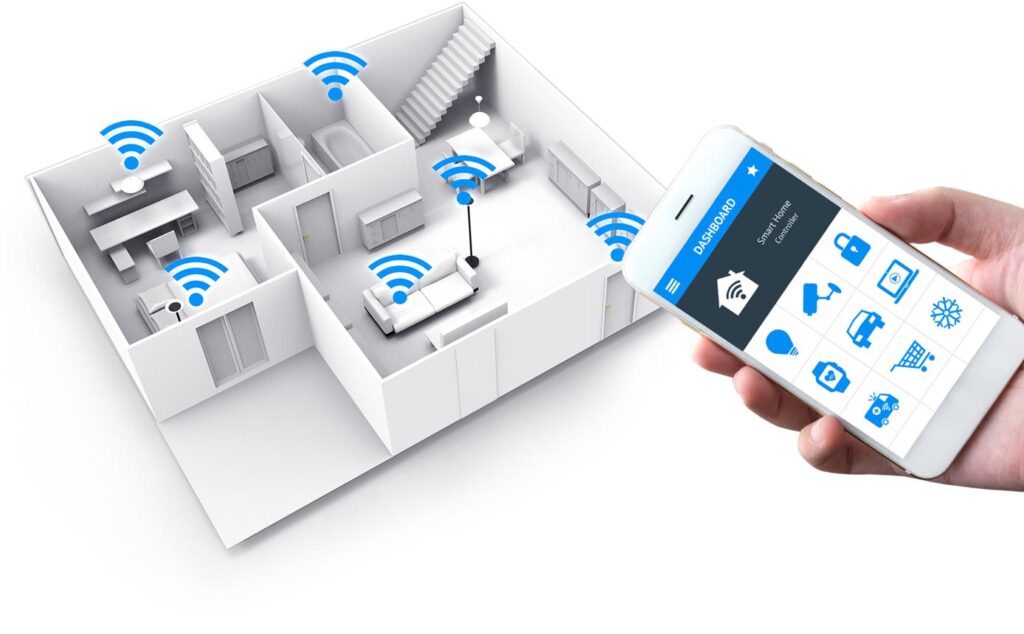
As a result, Wi-Fi connections can sometimes be slower and less reliable than Ethernet.
Speed Comparison in Ethernet vs Wi-Fi
Why Ethernet Provides Faster Internet Speeds
When comparing Ethernet vs Wi-Fi, speed is one of the biggest advantages of Ethernet. Wired connections can deliver higher and more consistent speeds because data travels directly through cables without interference.
For example:
- Ethernet connections can reach speeds of 1 Gbps or higher
- Advanced setups can even support 10 Gbps speeds
In contrast, Wi-Fi speeds often fluctuate depending on signal strength and environmental conditions.
Wi-Fi Speed Limitations and Fluctuations
Although modern Wi-Fi technologies like Wi-Fi 6 have improved performance, they still face limitations. For instance, multiple devices sharing the same network can reduce overall speed.
Moreover, signal interference from other networks or electronic devices can cause unexpected slowdowns. Therefore, while Wi-Fi may appear fast, its performance is often inconsistent.
Stability and Reliability: Ethernet vs Wi-Fi Performance
Why Ethernet Is More Stable Than Wi-Fi
Another major advantage in the Ethernet vs Wi-Fi comparison is stability. Ethernet connections provide low latency and consistent performance, making them ideal for tasks that require reliability.
Because Ethernet is not affected by wireless interference, it ensures:
- Stable video calls
- Smooth online gaming
- Reliable file transfers
Wi-Fi Connection Drops and Interference Issues
In contrast, Wi-Fi networks are more prone to:
- Signal drops
- Interference from nearby devices
- Network congestion
As a result, users may experience buffering, lag, or disconnections-especially in crowded environments.
Ethernet vs Wi-Fi for Gaming and Streaming
Why Gamers Prefer Ethernet Connections
For gamers, Ethernet vs Wi-Fi is not even a debate. Most serious gamers prefer Ethernet because it offers:
- Lower latency (ping)
- Faster response times
- Reduced lag spikes

These factors are critical in competitive gaming, where even a slight delay can impact performance.
Streaming Without Buffering Using Ethernet
Similarly, Ethernet is ideal for streaming high-quality content. Whether you’re watching 4K videos or live streaming, Ethernet ensures a buffer-free experience.
On the other hand, Wi-Fi may struggle to maintain consistent speeds, leading to buffering interruptions.
Security Advantages of Ethernet Over Wi-Fi
Why Ethernet Is More Secure
Security is another important factor in the Ethernet vs Wi-Fi discussion. Because Ethernet requires physical access to the network, it is generally more secure than Wi-Fi.
Hackers find it more difficult to intercept data on wired connections compared to wireless networks, which can be accessed remotely.
Wi-Fi Security Risks
Although modern Wi-Fi networks use encryption, they are still vulnerable to:
- Unauthorized access
- Hacking attempts
- Data interception
Therefore, for sensitive activities such as online banking or business operations, Ethernet provides an added layer of protection.
For more details on network security, you can check this guide from Cisco:
https://www.cisco.com/c/en/us/products/security/what-is-network-security.html
Latency Differences in Ethernet vs Wi-Fi
What Is Latency and Why It Matters
Latency refers to the delay between sending and receiving data. Lower latency means faster response times, which is crucial for:
- Online gaming
- Video conferencing
- Real-time applications
Ethernet vs Wi-Fi Latency Comparison
Ethernet typically offers lower latency than Wi-Fi because data travels through a direct connection. In contrast, Wi-Fi signals must navigate interference and distance, which increases delay.
As a result, Ethernet provides a more responsive internet experience.
When You Should Use Ethernet Instead of Wi-Fi
Best Situations for Ethernet Connections
You should use Ethernet whenever possible, especially for:
- Gaming
- Streaming high-definition content
- Remote work and video calls
- Large file transfers
- Business environments
In these situations, Ethernet ensures maximum performance and reliability.
When Wi-Fi Is Still Useful
However, Wi-Fi still has its place. It is ideal for:
- Mobile devices
- Casual browsing
- Smart home devices
Therefore, a combination of both Ethernet and Wi-Fi often provides the best overall setup.
Ethernet vs Wi-Fi in Modern Homes and Offices
Hybrid Networking: The Best of Both Worlds
Today, many homes and offices use a hybrid approach, combining Ethernet and Wi-Fi. For example:
- Desktop computers use Ethernet
- Mobile devices use Wi-Fi
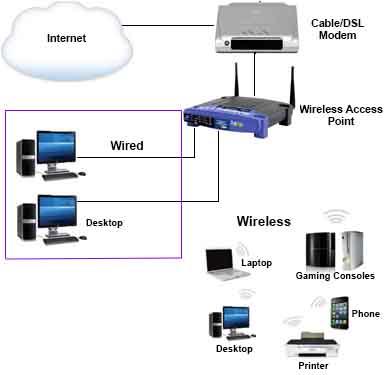
This setup ensures both performance and convenience.
Setting Up Ethernet in Your Home
If you want to switch to Ethernet, you can:
- Use Ethernet cables (Cat5e, Cat6, or Cat7)
- Connect directly to your router
- Use network switches for multiple devices
Although it requires some setup, the benefits are worth it.
Common Misconceptions About Ethernet vs Wi-Fi
“Wi-Fi Is Always Faster”-Myth Explained
Many people believe Wi-Fi is faster because it is newer technology. However, this is not entirely true. Ethernet still provides more consistent and reliable speeds.
“Ethernet Is Outdated”-Not True
Despite being older technology, Ethernet continues to evolve with faster speeds and improved performance. Therefore, it remains highly relevant in modern networking.
Future of Ethernet vs Wi-Fi Technology
Advancements in Wi-Fi Technology
Wi-Fi continues to improve with technologies like Wi-Fi 6 and Wi-Fi 7, offering better speed and efficiency. However, these improvements still cannot fully eliminate issues like interference.
Why Ethernet Will Remain Important
Even as wireless technology advances, Ethernet will remain essential for:
- High-performance computing
- Data centers
- Professional environments
Thus, Ethernet will continue to play a critical role in networking.
Frequently Asked Questions (FAQs) About Ethernet vs Wi-Fi
1. Is Ethernet really faster than Wi-Fi?
In most cases, yes-Ethernet is faster than Wi-Fi. This is because Ethernet provides a direct, wired connection, which minimizes interference and signal loss. As a result, users often experience more consistent speeds compared to Wi-Fi, which can fluctuate due to distance, obstacles, or network congestion.
2. When should I choose Ethernet over Wi-Fi?
You should choose Ethernet whenever you need maximum speed, stability, and low latency. For example, Ethernet is ideal for:
- Online gaming
- Video conferencing
- Streaming high-definition content
- Large file downloads and uploads
On the other hand, Wi-Fi is more suitable for mobility and convenience, especially on smartphones and tablets.
3. Does Ethernet reduce lag in gaming?
Yes, absolutely. In fact, one of the biggest advantages of Ethernet is its ability to reduce latency (lag). Because data travels directly through a cable, there are fewer delays compared to wireless connections. Consequently, gamers often prefer Ethernet for a smoother and more responsive experience.
4. Is Ethernet more secure than Wi-Fi?
Generally speaking, Ethernet is more secure than Wi-Fi. Since it requires a physical connection, it is much harder for unauthorized users to access the network. However, Wi-Fi networks can still be secured with strong passwords and encryption, although they remain more vulnerable than wired connections.
5. Can I use both Ethernet and Wi-Fi at the same time?
Yes, you can. In fact, many homes and offices use a hybrid setup. For instance, you might connect your desktop or gaming console via Ethernet while using Wi-Fi for mobile devices. This approach allows you to balance performance and convenience effectively.
6. Is Ethernet outdated compared to modern Wi-Fi?
Not at all. Although Wi-Fi technology has improved significantly, Ethernet continues to evolve as well. In fact, modern Ethernet standards support extremely high speeds and remain the preferred choice for professional and high-performance environments.
Further Notice: Things to Consider Before Choosing Ethernet or Wi-Fi
Before deciding between Ethernet vs Wi-Fi, there are a few important factors you should keep in mind.
First of all, consider your usage needs. If your daily activities involve heavy data usage-such as gaming, streaming, or remote work-then Ethernet is clearly the better option. However, if you prioritize mobility and convenience, Wi-Fi may be more suitable.
Secondly, think about your home or office setup. Installing Ethernet cables may require additional effort, especially if your space is not pre-wired. Nevertheless, the long-term benefits of a stable connection often outweigh the initial setup challenges.
Moreover, you should also evaluate your internet plan and hardware. Even with Ethernet, your speed will depend on your internet service provider and router capabilities. Therefore, upgrading your equipment can further enhance performance.
Finally, it is worth noting that combining both Ethernet and Wi-Fi can provide the best overall experience. For example, you can use Ethernet for critical tasks while relying on Wi-Fi for everyday browsing.
Conclusion: Ethernet vs Wi-Fi-Making the Right Choice
To sum up, the debate between Ethernet vs Wi-Fi ultimately comes down to performance versus convenience. On one hand, Ethernet offers superior speed, stability, lower latency, and enhanced security. On the other hand, Wi-Fi provides flexibility and ease of use.
However, when performance truly matters, Ethernet stands out as the clear winner. Whether you are gaming, streaming, or working online, a wired connection ensures a smoother and more reliable experience.
That said, Wi-Fi still plays an important role in modern connectivity. Therefore, rather than choosing one over the other, the best approach is often to use both technologies strategically.
In conclusion, by understanding the strengths and limitations of each option, you can make a more informed decision and enjoy a better internet experience overall.