Phone Slow Internet Problem: Easy Fixes for Android & iPhone
Why Your Phone Shows slow Internet problem: Signal vs Internet Speed
You may notice your phone slow internet problem, pages refuse to load, WhatsApp messages delay, and videos keep buffering.
This situation confuses many users because full bars normally mean strong network coverage yet your connection behaves like there is no internet at all.
The truth is: signal strength and internet speed are not the same thing.
Signal bars only indicate connection to the nearest cell tower. They do not guarantee data quality, bandwidth, or network availability. Many hidden factors affect mobile data performance even when coverage looks perfect.
In this guide, you will learn the real causes and practical solutions that work on both Android and iPhone devices.
Signal Strength vs Internet Speed (Important Difference)
Before fixing the issue, you need to understand what the bars mean.
| Indicator | What It Means |
|---|---|
| Signal Bars | Connection to tower |
| 4G/5G/LTE icon | Technology type |
| Internet Speed | Network capacity & routing |
| Latency | Response delay |
Your phone can show full signal while: check: understanding mobile signal bars:
- tower is congested
- data routing fails
- DNS is broken
- background apps consume bandwidth
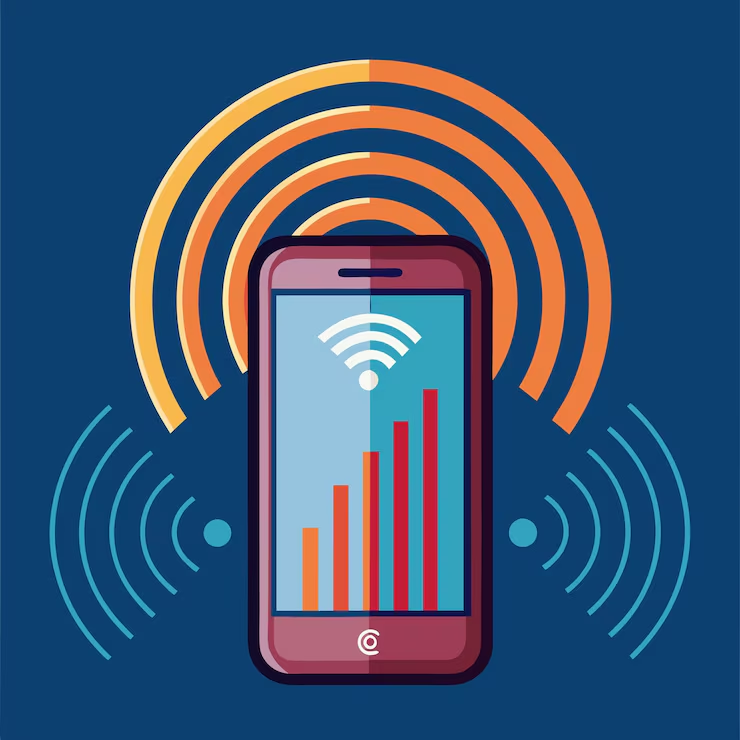
So the network exists but data cannot flow properly.
Common Reasons Your Phone Shows Full Signal But Internet Is Slow
1. Network Congestion Causing phone slow internet problem
At busy times (evenings, events, cities), thousands of users connect to one tower.follow this link to get more information: Network congestion:

Think of it like a road:
Full signal = road exists
Slow internet = traffic jam
You share bandwidth with everyone nearby.
Signs:
- Fast at night
- Slow during day
- Social media loads but videos buffer
Fix:
Turn airplane mode ON for 20 seconds → OFF
This reconnects you to a less crowded band.
2. Wrong Network Band Leading to Full Signal But Internet Is Slow
Phones automatically select a frequency band, but sometimes they stick to a slower one.
Example:
- Band 20 → strong coverage but slow speed
- Band 3 or 7 → faster but shorter range
So your phone prefers signal strength instead of speed.
Fix
Reset network connection:
- Android: Settings → System → Reset → Reset network settings
- iPhone: Settings → General → Transfer or Reset → Reset Network Settings
3. Phone Shows Full Signal But Internet Is Slow Due to APN Errors
APN (Access Point Name) connects your phone to your carrier’s internet gateway.
If misconfigured:
- Signal OK
- Calls OK
- Internet slow or dead
This happens after:
- SIM swap
- Software update
- Manual changes
Fix
Request APN settings from your carrier and reconfigure.
4. Background Apps Consuming Data
Some apps constantly use internet:
- cloud backup
- auto updates
- sync services
- malware
They silently saturate bandwidth.
Check usage
Android: Settings → Network → Data usage
iPhone: Settings → Cellular → Cellular Data
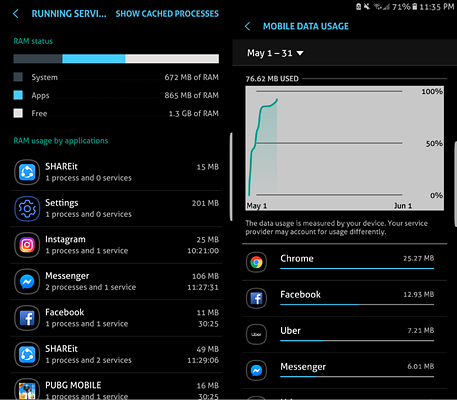
Disable high usage apps.
5. DNS Server Problems
DNS converts website names into IP addresses.
If DNS is slow → everything delays.
You may have perfect signal but pages take 10 seconds to start loading.
Fix
Change DNS to faster servers:
- 8.8.8.8
- 1.1.1.1
Apps like Cloudflare WARP help.
6. Carrier Throttling
Some ISPs reduce speed after certain usage.
They don’t cut connection they slow it.
Symptoms
- Speed suddenly capped
- Videos limited to low resolution
- Speedtest consistent low number
Only solution: wait for reset cycle or upgrade bundle.
7. Software Bugs
After updates, network modules glitch.
This causes:
- full bars
- unstable data
Quick fix
Restart phone daily(Yes, it actually refreshes modem firmware)
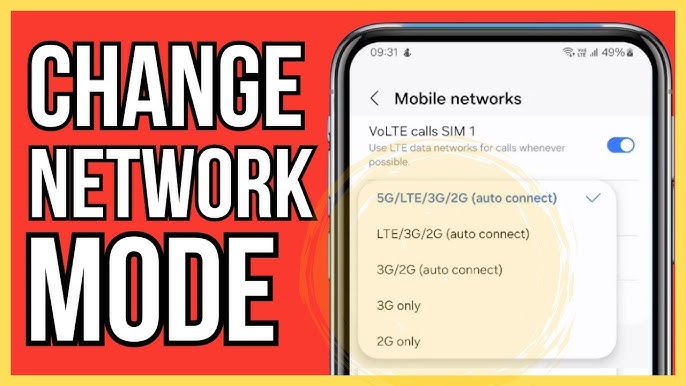
Change network mode
8. VPN or Private DNS Issues
VPN encrypts traffic → adds latency.
Bad VPN servers cause slow browsing despite full signal.
Test
Turn off VPN → test speed again
If faster → change server
9. SIM Card Problems
Old SIM cards fail to negotiate modern LTE bands.
You may connect but not properly authenticate data sessions.
Fix
Replace SIM at carrier shop (usually free)
10. Tower Maintenance
Sometimes the nearest tower works partially:
- broadcast signal OK
- data backhaul damaged
Only carrier can fix wait or move location.
Quick Troubleshooting Checklist
Follow in this order:
- Toggle airplane mode
- Restart phone
- Turn off VPN
- Check data usage apps
- Reset network settings
- Reinsert SIM
- Change location
- Contact carrier
Advanced Fix: Force Faster Network Mode
Sometimes locking network improves speed.
Android:
Dial *#*#4636#*#*
→ Phone Information
→ Set preferred network LTE only
iPhone:
Settings → Cellular → Voice & Data → Select LTE/5G Auto
When the Problem Is Your Phone
If others nearby have fast internet → your device may be faulty.
Possible causes:
- damaged antenna
- overheating modem
- water damage
Test with another SIM to confirm. How to speed up your phone:
How to Prevent Slow Internet in Future
- Restart phone weekly
- Update system regularly
- Avoid unknown VPN apps
- Clear cache monthly
- Monitor data usage
- Replace SIM every 3–4 years
FAQs (Frequently Asked Questions)
Q1: Why does my phone show full signal but internet is slow?
A: Full signal only shows connection to the tower, not actual data speed. Slow internet can be caused by network congestion, APN errors, background apps, DNS issues, or carrier throttling.
Q2: Will restarting my phone fix slow internet even if the signal is full?
A: Yes, restarting refreshes your phone’s network modules, clears temporary glitches, and can fix full-signal-but-slow-internet issues instantly.
Q3: How can I tell if my phone or my carrier is causing the slow internet?
A: Test another phone with the same SIM in your area. If it’s fast on the other device, your phone may be the problem. If it’s slow on both, it’s likely the carrier or tower.
Q4: Can a VPN cause full signal but slow internet?
A: Yes, VPNs encrypt traffic and add latency. A poor VPN server can slow internet even when your phone shows full bars. Turn off the VPN to test.
Q5: Are old SIM cards a reason my phone shows full signal but internet is slow?
A: Absolutely. Old SIMs may not support modern LTE or 5G bands, causing slow mobile data despite full signal. Replacing the SIM usually fixes this.
Q6: Does switching to 5G always solve full signal but slow internet issues?
A: Not always. 5G may provide faster speeds, but congestion, tower maintenance, APN errors, or phone issues can still slow your internet.
Further Thoughts
Understanding why your phone shows full signal but internet is slow is key to avoiding frustration. Signal bars alone don’t tell the whole story network speed depends on congestion, configuration, and device performance.
For the best mobile experience:
- Regularly restart your phone and update software
- Monitor apps that consume data in the background
- Keep your SIM updated and ensure APN settings are correct
- Use fast DNS servers if browsing seems slow
- Consider contacting your carrier if issues persist
Following these steps not only restores fast internet but also prevents recurring slow-data problems. By paying attention to these factors, your mobile device will deliver the performance you expect, even when full signal is showing
Conclusion
When your phone shows full signal but internet is slow, the issue is rarely coverage.
It usually involves congestion, configuration errors, or background activity blocking real data flow.
By understanding the difference between signal strength and network performance, you can quickly diagnose and fix the problem without wasting bundles or blaming the carrier unfairly.
Follow the troubleshooting steps above and your mobile internet should return to normal speed within minutes.