
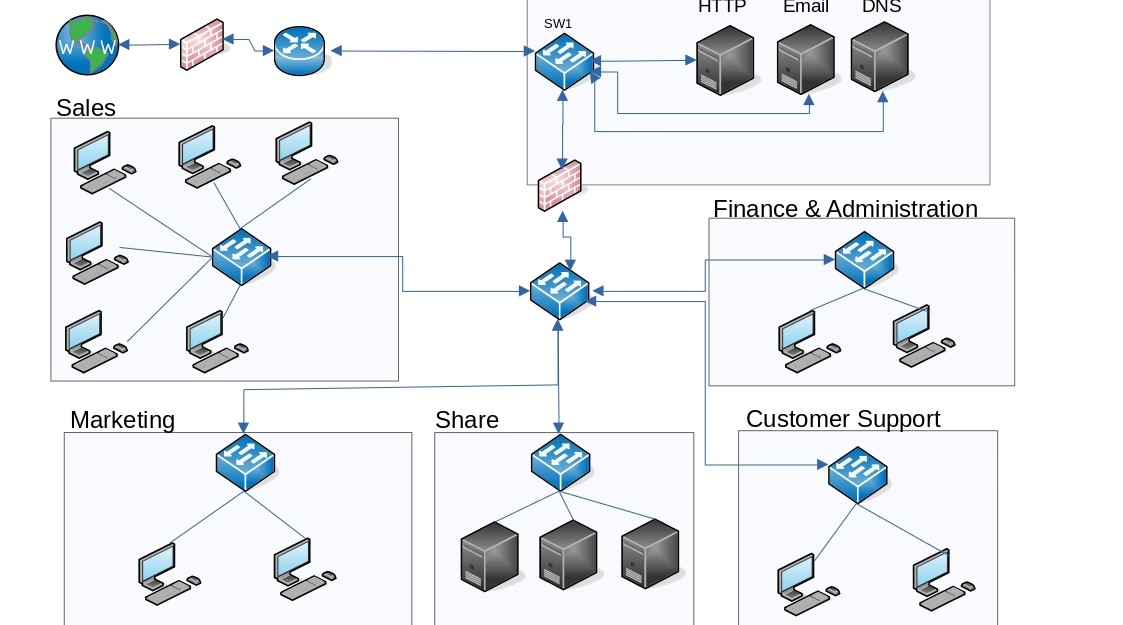
How to Set Up a Small Office Network (Simple Guide)
In today’s digital world, every business depends on a reliable internet connection and a well-structured communication system. A proper small office network setup allows computers, printers, smartphones, and other digital devices to connect and share information efficiently. When the network is properly configured, employees can collaborate easily, access files instantly, and use shared resources without interruptions.
However, many small businesses experience problems such as slow internet speeds, unstable WiFi, disconnected printers, and poor file sharing. In most cases, these issues happen because the network was not properly designed or configured. A weak network infrastructure can slow down daily operations and reduce productivity across the entire office.
Therefore, understanding how to build a small office network setup is essential for business owners, IT technicians, startups, and entrepreneurs. A well-planned network improves communication, strengthens cybersecurity, and ensures that employees can perform their work without unnecessary technical problems.
In this guide, we will explain everything step-by-step including routers, network switches, Ethernet cables, WiFi setup, and security tips. By the end of this guide, you will understand how to design, install, and maintain a reliable office network that supports your business operations effectively.
Understanding a Small Office Network Setup
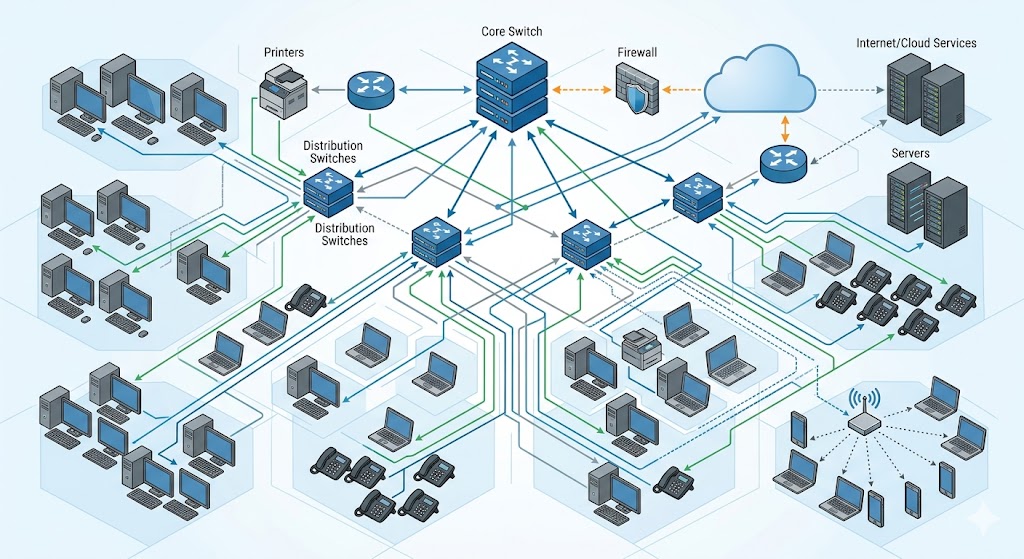
Before installing any networking equipment, it is important to understand what a small office network setup actually is and why it matters.
A small office network is a system that connects multiple digital devices together so they can communicate, share information, and access the internet. Instead of each device operating independently, a network allows all devices to work together in an organized and efficient way.
For example, in a small business office, employees may need to:
- Share documents between computers
- Print files from different departments
- Access cloud services
- Use shared storage systems
- Connect smartphones and laptops to the internet
Without a proper network, employees may have to transfer files manually using flash drives or struggle with disconnected devices. This wastes time and creates unnecessary frustration.
A typical small office network setup connects several devices including:
- Desktop computers used for daily work
- Laptops used for meetings and remote work
- Network printers shared by employees
- Smartphones connected to WiFi
- Storage devices used for backups and file sharing
- Security cameras connected to the network
When the network is properly configured, all these devices communicate smoothly and securely. Employees can work faster, access shared resources instantly, and collaborate more efficiently.
Another major advantage of a structured network is centralized management. Instead of managing devices individually, IT administrators can monitor and control the network from one central point.
Essential Equipment for a Small Office Network Setup
To build a reliable network infrastructure, you must first gather the correct hardware components. Choosing the right equipment ensures stable performance, strong security, and the ability to expand the network as the business grows.
The most important components of a small office network setup include:
- Router
- Network switch
- Ethernet cables
- Wireless access points
- Network storage devices
Each component plays a specific role in ensuring that the network operates efficiently.
Router in a Small Office Network Setup
A router is the central device that connects your office network to the internet. It acts as the gateway between your internal office devices and the outside internet.
Whenever an employee opens a website, sends an email, or downloads a file, the request passes through the router. The router then directs the data to the correct device inside the network.
Routers perform several important tasks, including:
- Assigning IP addresses to devices automatically
- Managing traffic between devices and the internet
- Protecting the network with built-in firewall systems
- Broadcasting wireless signals for WiFi connections
Because the router controls the entire network, choosing the right one is extremely important.
When selecting a router for your office network, consider the following factors:
Internet speed compatibility
The router should support the speed provided by your internet service provider. For example, if your internet plan provides 200 Mbps, your router should support at least that speed or higher.
Number of connected devices
Offices usually have many connected devices. Therefore, choose a router that can handle multiple simultaneous connections without slowing down.
Security features
Modern routers include firewall protection, encryption, and network monitoring features that protect business data.
WiFi technology
Routers that support dual-band WiFi or WiFi 6 technology provide faster and more reliable wireless connections.
Choosing the right router is essential for a reliable small office network. Check out our guide on the best routers for small offices to find top-performing options that fit your business needs.
If you want to understand how routers function in more detail, you can read this beginner networking guide from Cisco which explains networking concepts clearly:
https://www.cisco.com/c/en/us/products/routers/what-is-a-router.html
Network Switch for Expanding Office Connectivity
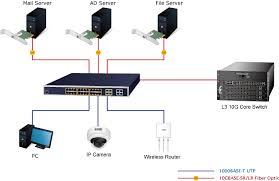
While a router connects the office network to the internet, a network switch is responsible for connecting multiple wired devices together inside the office.
In many small businesses, several computers need stable connections for tasks such as file sharing, video conferencing, and accessing cloud services. Connecting all devices directly to the router is often impossible because routers usually have limited Ethernet ports.
This is where the network switch becomes essential.
A network switch acts like a central hub that allows multiple devices to communicate within the network.
For example, imagine an office with:
- 10 desktop computers
- 2 network printers
- 1 file server
A network switch allows all these devices to connect using Ethernet cables. The switch then directs data to the correct device, ensuring smooth communication within the network.
Using a switch provides several advantages.
First, it enables faster data transfer between devices, which is important when employees share large files.
Second, it creates stable wired connections that are not affected by wireless interference.
Third, it reduces network congestion because the switch efficiently directs data only to the intended device.
Most small offices use 8-port or 16-port switches, but larger businesses may require switches with more ports.
Ethernet Cables for Reliable Network Connections
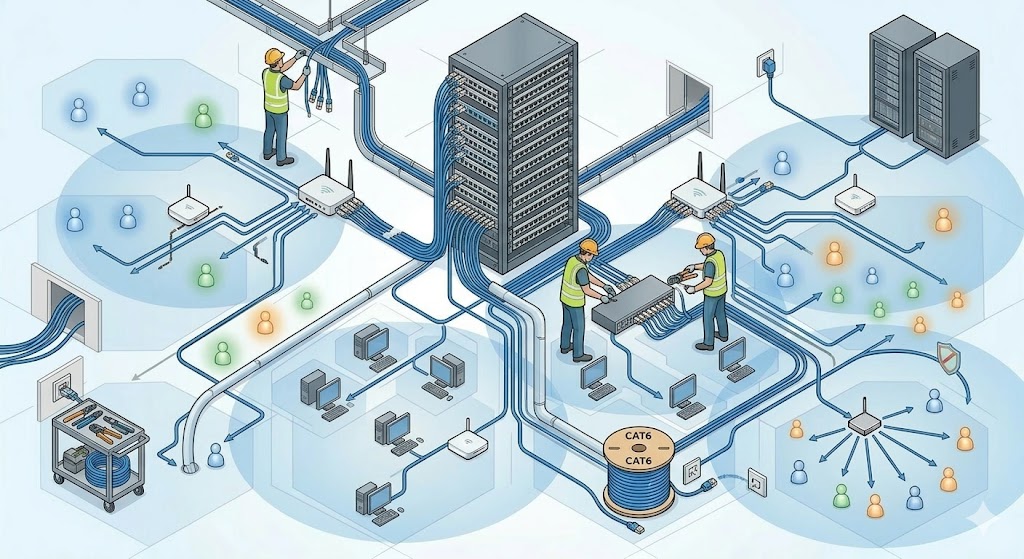
Although wireless networks are convenient, Ethernet cables remain the most reliable way to connect devices in a small office network setup.
Ethernet cables create direct physical connections between devices and networking equipment. This type of connection provides faster speeds, lower latency, and greater reliability compared to WiFi.
Unlike wireless signals, Ethernet connections are not affected by:
- Walls and physical obstacles
- Radio interference
- Network congestion from many wireless devices
For this reason, important office equipment such as desktop computers, servers, and printers should always use Ethernet connections whenever possible.
There are several types of Ethernet cables used in office networks.
Cat5e Ethernet Cable
Cat5e cables support speeds up to 1 Gigabit per second and are commonly used in many small office environments.
Cat6 Ethernet Cable
Cat6 cables support faster speeds and improved performance, making them ideal for modern office networks with higher data demands.
Cat6a Ethernet Cable
Cat6a cables are designed for high-speed networks and large office environments that require advanced performance.
Using quality Ethernet cables improves network reliability and reduces connection problems.
WiFi Setup in a Small Office Network

While wired connections are important, most modern offices also rely heavily on wireless connectivity. Employees frequently use laptops, smartphones, and tablets that require WiFi access.
Therefore, a strong WiFi setup is a crucial part of any small office network setup.
Configuring Office WiFi Network
Setting up office WiFi usually involves configuring the router’s wireless settings.
To configure your WiFi network:
- Access your router settings through a web browser.
- Create a network name (SSID) that employees can easily identify.
- Set a strong WiFi password to prevent unauthorized access.
- Enable WPA2 or WPA3 encryption for security.
These steps ensure that your wireless network is secure and accessible only to authorized users.
Improving WiFi Coverage
In some offices, the router alone cannot provide full wireless coverage. Large rooms, thick walls, and office layouts may weaken WiFi signals.
In such cases, installing wireless access points can greatly improve connectivity.
Access points should be placed strategically in areas such as:
- Meeting rooms
- Large office spaces
- Areas where WiFi signals are weak
Proper placement ensures consistent coverage across the entire office.
You can learn more about improving WiFi coverage through Google’s networking guide here:
https://support.google.com/googlenest/answer/7182746
Security Tips for a Small Office Network Setup
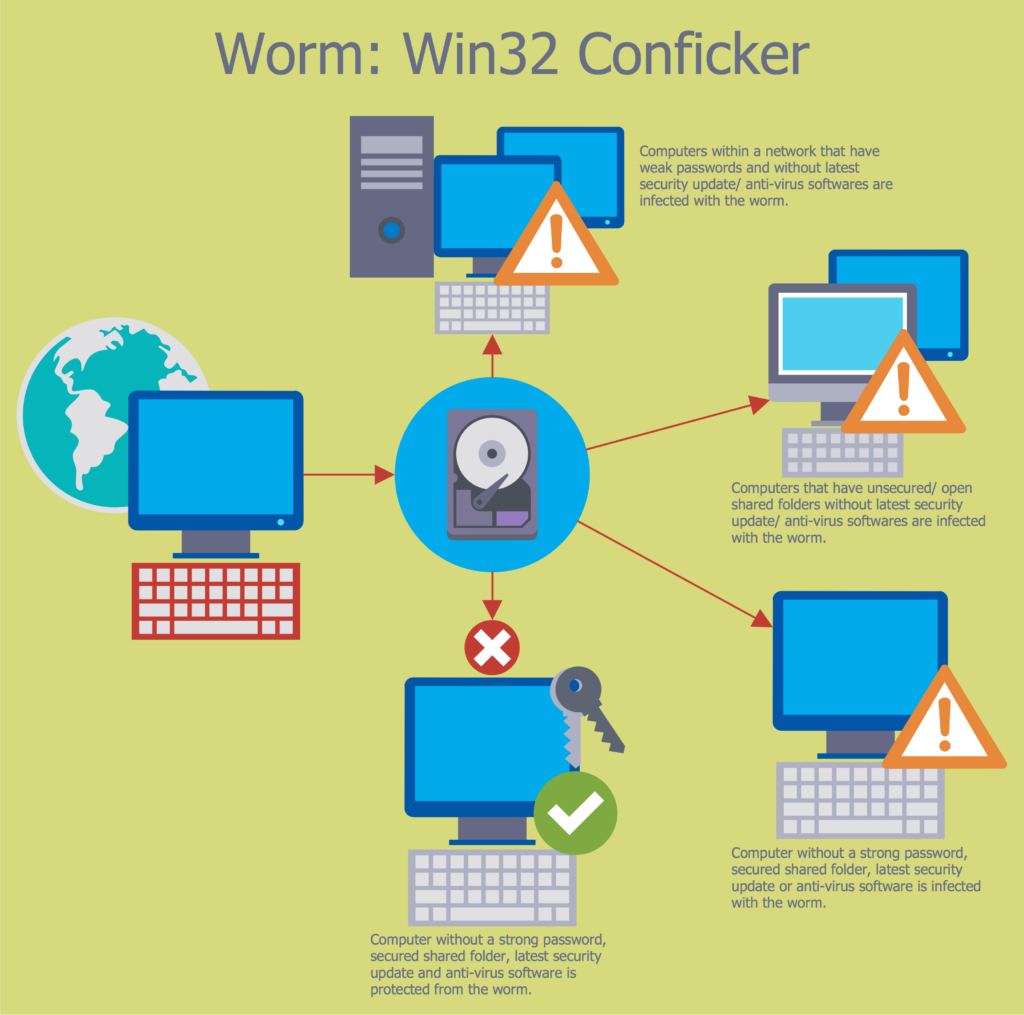
Security should always be a top priority when building a small office network setup. Businesses store sensitive information such as financial data, customer records, and internal documents. Without proper protection, this information could be exposed to hackers or malicious software.
Implementing strong network security reduces the risk of cyber attacks and protects valuable business data.
Use Strong Passwords
Default router passwords are widely known and can easily be exploited by attackers. Always change the default login credentials immediately after installing the router.
Use strong passwords that include:
- Uppercase letters
- Numbers
- Special characters
Strong passwords make unauthorized access much more difficult.
Enable Network Encryption
Wireless networks should always use WPA2 or WPA3 encryption. Encryption protects data transmitted between devices and prevents hackers from intercepting sensitive information.
Create a Guest Network
Visitors such as clients or contractors may occasionally need internet access. Instead of giving them access to the main network, create a separate guest network.
This isolates guest devices from internal business systems and protects sensitive data.
Keep Firmware Updated
Network equipment manufacturers regularly release firmware updates that fix security vulnerabilities.
Therefore, businesses should regularly update:
- Router firmware
- Networking equipment software
- Security tools and antivirus programs
Keeping systems updated greatly reduces cybersecurity risks.
For more information on network security best practices, you can read cybersecurity tips from Cloudflare here:
https://www.cloudflare.com/learning/security/what-is-network-security/
Frequently Asked Questions (FAQs) About Small Office Network Setup
What is a small office network setup?
A small office network setup is a system that connects computers, printers, servers, and other devices within a business environment so they can communicate and share resources such as internet access, files, and printers. In most cases, this network is built using routers, switches, Ethernet cables, and wireless access points.
As a result, employees can collaborate more efficiently, share data quickly, and access online services without interruptions.
What equipment do I need to build a small office network?
To create a reliable small office network setup, several essential components are required. These include:
- A router to connect the office to the internet
- A network switch to connect multiple wired devices
- Ethernet cables to provide stable connections
- Wireless access points to extend WiFi coverage
- Network storage devices for file sharing and backups
Together, these devices create a structured and efficient network infrastructure for the workplace.
Why are Ethernet cables important in an office network?
Although WiFi is convenient, Ethernet cables provide faster and more reliable connections. Wired connections are not affected by wireless interference, signal drops, or congestion.
Therefore, it is highly recommended to connect important devices such as desktop computers, printers, and servers using Ethernet cables whenever possible.
As a result, businesses benefit from better speed, stability, and improved network performance.
How can I improve WiFi coverage in a small office?
Sometimes the WiFi signal from a single router may not cover the entire office space. In such cases, installing additional wireless access points can significantly improve coverage.
Furthermore, placing access points in central areas and away from walls or electronic interference can help distribute the signal more evenly across the office.
Consequently, employees will experience fewer connection issues and stronger wireless signals throughout the workspace.
How can I secure my small office network?
Security is a crucial part of any small office network setup. To protect your network, you should follow these important practices:
- Use strong and unique passwords
- Enable WPA2 or WPA3 WiFi encryption
- Change default router login credentials
- Create a guest network for visitors
- Regularly update router firmware and security software
By implementing these steps, businesses can significantly reduce the risk of cyber attacks and unauthorized access.
Further Thoughts on Building a Reliable Office Network
Setting up a small office network is not just about connecting cables and devices. Instead, it requires careful planning, proper equipment selection, and ongoing maintenance.
First of all, businesses should consider both their current needs and future growth. As companies expand, more employees and devices will require access to the network. Therefore, choosing scalable networking equipment from the beginning can prevent costly upgrades later.
In addition, businesses should prioritize network reliability and performance. Slow internet speeds, unstable WiFi, and frequent disconnections can disrupt productivity and frustrate employees. By using quality routers, switches, and Ethernet cables, businesses can ensure smoother and more efficient operations.
Moreover, network security should never be ignored. Cyber threats are becoming increasingly common, and small businesses are often targeted because they may have weaker security systems. Consequently, implementing strong security measures such as encryption, firewalls, and regular updates is essential.
Finally, regular monitoring and maintenance help keep the network running smoothly. Checking performance, updating firmware, and organizing cables may seem like small tasks, but they play a significant role in maintaining a reliable network infrastructure.
Conclusion
In conclusion, building a small office network setup is an essential step for any modern business that relies on digital communication and internet connectivity. A well-designed network allows employees to share resources, access important data, and communicate efficiently within the workplace.
Throughout this guide, we explored the key components required to build a reliable office network, including routers, network switches, Ethernet cables, WiFi configuration, and network security practices. Each of these elements plays an important role in ensuring that devices can communicate effectively and securely.
Furthermore, by carefully planning the network structure and following best practices, businesses can avoid common issues such as slow connections, poor WiFi coverage, and security vulnerabilities.
Ultimately, investing time and effort into building a strong small office network setup will improve productivity, protect valuable business data, and create a stable technological foundation for future growth.
Therefore, whether you are starting a new business or upgrading your current infrastructure, implementing a well-structured office network is one of the smartest decisions you can make for long-term success.