
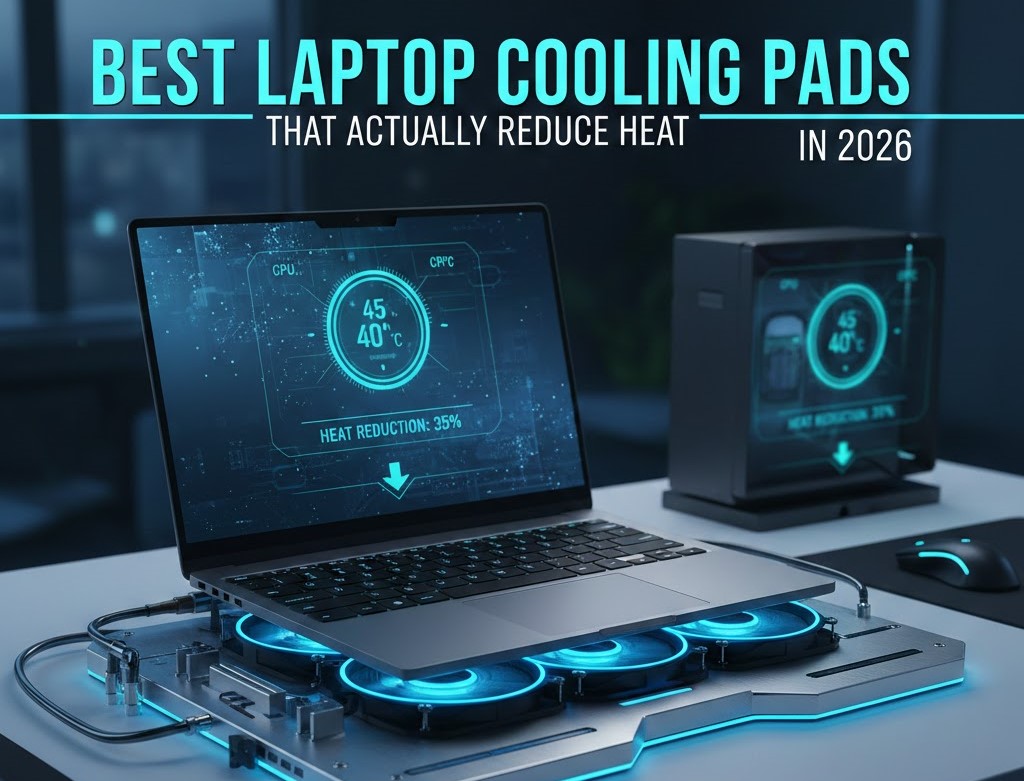
Best Laptop Cooling Pads That Actually Reduce Heat in 2026
Laptop overheating is one of the most frustrating performance problems today, which is exactly why many users search for the best laptop cooling pads that actually reduce heat instead of just stylish stands with LED lights. Whether you are gaming, editing videos, programming, or multitasking with heavy software, excess heat can cause thermal throttling, frame drops, reduced battery lifespan, and even sudden shutdowns. Therefore, choosing a cooling pad that genuinely improves airflow can significantly improve both performance and hardware longevity.
In this complete 2026 guide, you will learn how cooling pads work, how much temperature reduction you can realistically expect, and most importantly, which models are truly worth buying through Amazon.
Why Do Laptops Overheat So Easily?
First of all, modern laptops are thinner and more powerful than ever before. However, that sleek design often comes at the cost of internal airflow. Because components like CPUs and GPUs generate intense heat under load, compact chassis designs struggle to dissipate that heat efficiently.
As a result:
- Internal temperatures rise quickly
- Performance drops due to thermal throttling
- Fan noise becomes louder
- Long-term hardware lifespan may reduce
Gaming laptops are especially vulnerable since they combine high-performance GPUs with slim designs. Consequently, many users look for external cooling solutions to maintain stable temperatures.
Do Laptop Cooling Pads Actually Work?
This is the most important question.
The short answer is: yes but only the right ones.
A high-quality cooling pad can reduce temperatures by 3°C to 12°C, depending on several factors:
- Laptop ventilation placement
- Fan RPM (revolutions per minute)
- Airflow design
- Surface material (metal mesh works better)
- Ambient room temperature
For example, laptops with bottom air intake vents benefit the most from cooling pads. On the other hand, laptops that pull air from the keyboard area may see smaller improvements.
Therefore, choosing the correct design is more important than simply buying the most expensive model.
How We Selected the Best Cooling Pads
To ensure this guide remains useful and trustworthy, we evaluated products based on:
- Verified buyer reviews
- Fan speed and airflow power
- Build durability
- Noise levels
- Compatibility with 15–17 inch laptops
- Overall value for money
Additionally, we focused on models that are widely available globally through Amazon, making them accessible for international buyers.
Comparison Table: Quick Overview
| Cooling Pad | Best For | Fan Setup | Size Support | Adjustable Height |
|---|---|---|---|---|
| Havit HV-F2056 | Overall Use | 3 Fans | Up to 17” | Yes |
| Klim Ultimate | Gaming | 1 Large 200mm | Up to 17” | Yes |
| TopMate C5 | Adjustable Cooling | 5 Fans | Up to 15.6” | Yes |
| Kootek Cooler | Multi-Fan Control | 5 Fans | Up to 17” | Yes |
| TeckNet N5 | Budget Option | 2 Fans | Up to 16” | Yes |
| Cooler Master Notepal X3 | Heavy Gaming | 200mm Fan | Up to 17” | Yes |
Best Laptop Cooling Pads That Actually Reduce Heat (Detailed Reviews)
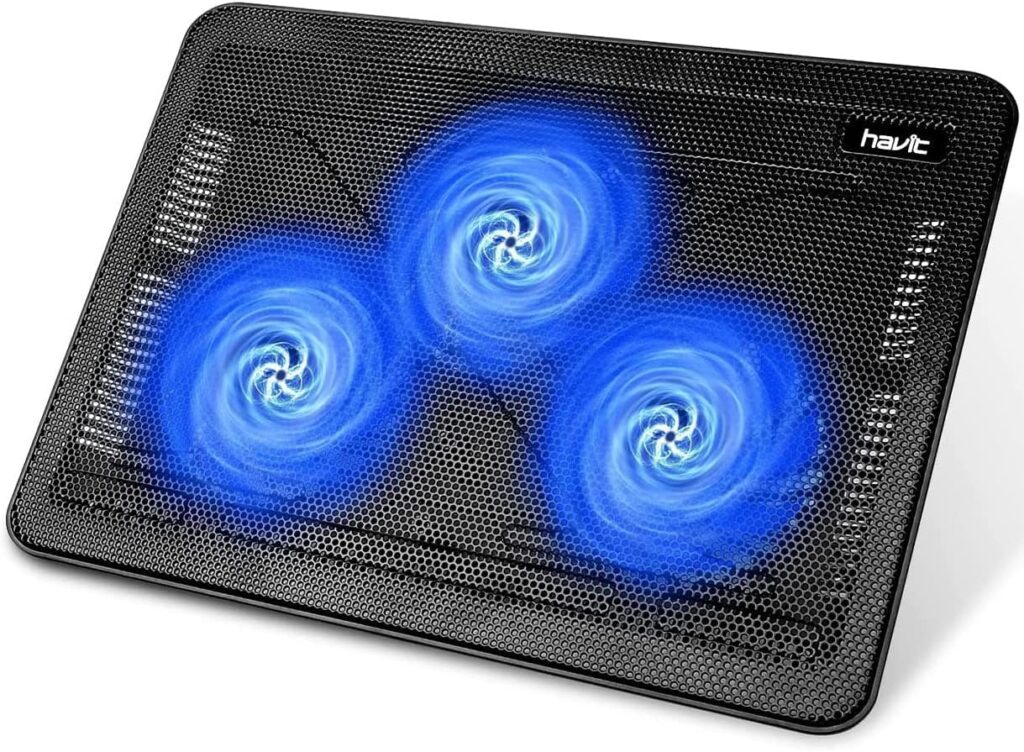
1. Havit HV-F2056 Laptop Cooling Pad; Best Overall
The Havit HV-F2056 remains one of the most balanced and reliable options available. Because it uses three 110mm fans, it distributes airflow evenly across the laptop’s underside.
Key Features
- Ultra-slim and portable
- Three quiet fans
- Dual USB ports
- Adjustable ergonomic height
Cooling Performance
Users frequently report temperature drops between 5°C and 8°C during extended workloads. Therefore, it is ideal for both office work and moderate gaming.
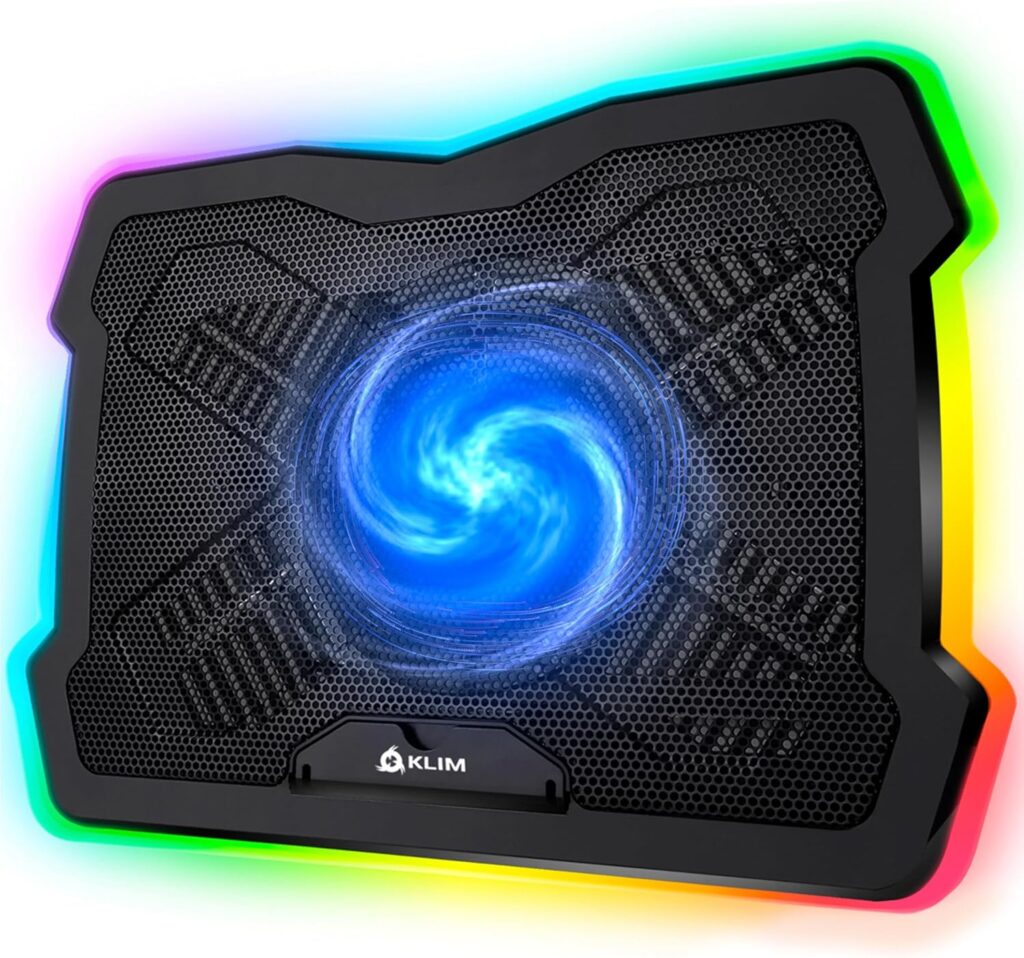
2. Klim Ultimate RGB Cooling Pad; Best for Gaming
If you own a gaming laptop, airflow power matters more than portability. The Klim Ultimate features a massive 200mm turbo fan designed to push strong airflow directly toward intake vents.
Key Features
- Large high-RPM fan
- Adjustable speed control
- Stable metal grid
- RGB lighting
Cooling Performance
Because of its large central fan, this model can reduce temperatures by up to 10°C in some gaming setups. Consequently, it performs well during long gaming sessions.
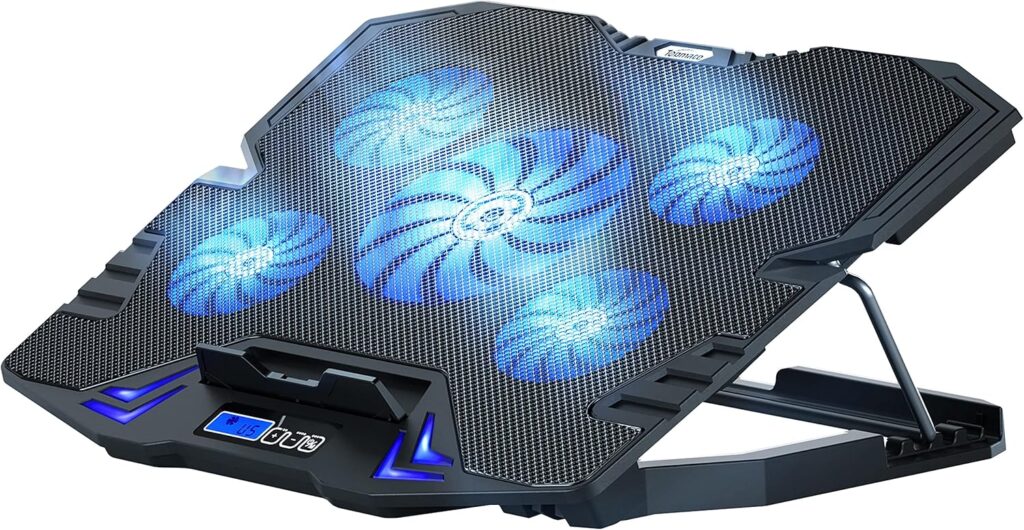
3. TopMate C5 Laptop Cooling Pad; Best Adjustable Option
The TopMate C5 stands out due to its five-fan configuration and LCD control panel.
Key Features
- 1 large fan + 4 smaller fans
- Fan speed display
- 5 adjustable height levels
- USB powered
Cooling Performance
Thanks to adjustable fan speed, you can balance noise and airflow. As a result, it is suitable for both quiet office use and heavier workloads.
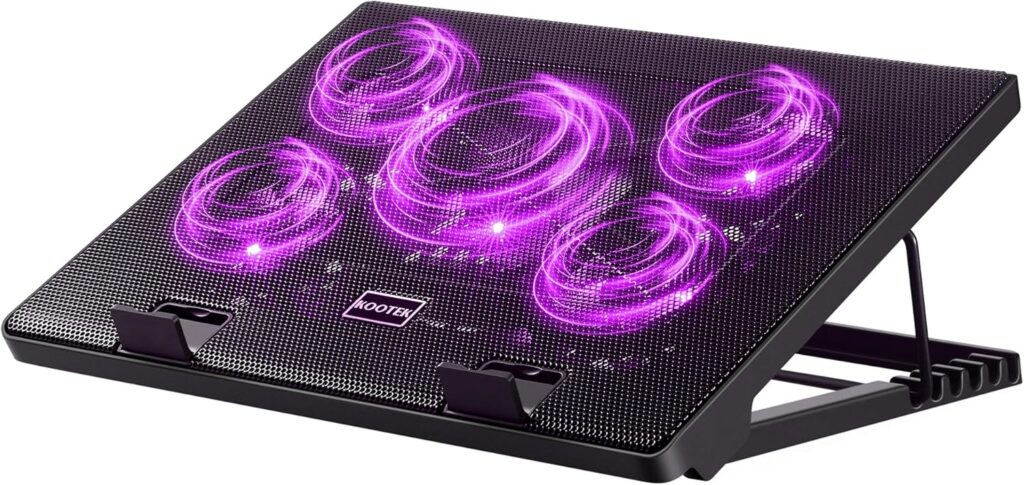
4. Kootek Laptop Cooling Pad; Best Multi-Fan Control
The Kootek cooling pad provides customizable airflow because you can activate fans selectively.
Key Features
- 5 built-in fans
- Dual USB hub
- Ergonomic tilt
- Durable metal mesh
Cooling Performance
Since you can target airflow toward specific laptop vent locations, it works especially well for laptops with uneven ventilation placement.
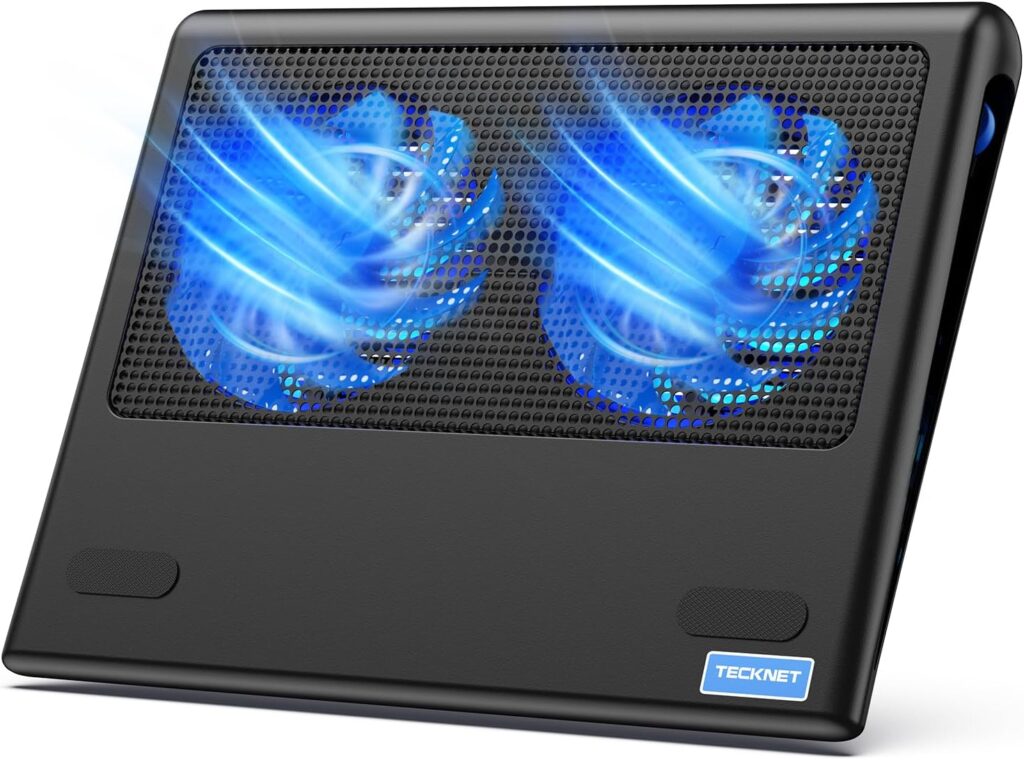
5. TeckNet N5 Cooling Pad; Best Budget Choice
If affordability is your priority, the TeckNet N5 offers reliable cooling without unnecessary features.
Key Features
- Two quiet fans
- Lightweight design
- USB powered
- Budget-friendly
Cooling Performance
Although it does not provide extreme cooling, it improves airflow enough to reduce light overheating issues.
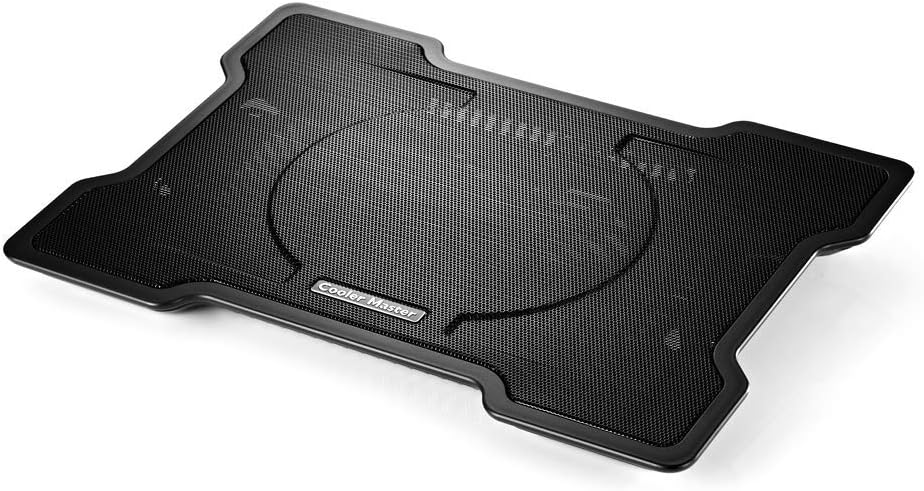
6. Cooler Master Notepal X3; Best for High Performance Laptops
For users running powerful GPUs or heavy software, the Notepal X3 offers stronger airflow and durable construction.
Key Features
- 200mm high-performance fan
- Front blue LED
- Adjustable fan speed
- Front vent airflow boost
Cooling Performance
Because of its powerful fan design, it is particularly effective for gaming laptops that reach high thermal limits.
How Much Temperature Reduction Should You Expect?
Realistically speaking, cooling pads are not miracle solutions. However, under proper conditions:
- Light browsing: 3–5°C reduction
- Productivity workloads: 5–8°C reduction
- Gaming sessions: 6–12°C reduction
Therefore, cooling pads are most effective when combined with:
- Regular internal dust cleaning
- Updated BIOS and drivers
- Using a hard flat surface
- Replacing old thermal paste (if necessary)
Things to Consider Before Buying
Before choosing among the best laptop cooling pads that actually reduce heat, consider the following factors carefully.
1. Laptop Vent Placement
If your laptop pulls air from the bottom, cooling pads will significantly improve airflow. Otherwise, results may be smaller.
2. Fan Size vs Number of Fans
Large single fans push stronger airflow. However, multiple fans distribute air more evenly.
3. Noise Level
Higher RPM generally means stronger cooling but more noise. Therefore, adjustable speed control is beneficial.
4. Build Material
Metal mesh platforms dissipate heat better than plastic surfaces.
5. Portability
If you travel often, choose slim lightweight models.
Are Laptop Cooling Pads Worth It in 2026?
In conclusion, the best laptop cooling pads that actually reduce heat can make a noticeable difference, especially for gaming laptops and high-performance machines. While they will not completely eliminate overheating caused by dust buildup or degraded thermal paste, they can improve airflow enough to prevent performance throttling.
Therefore, if your laptop frequently becomes hot during use, investing in a quality cooling pad is a practical and affordable solution.
Frequently Asked Questions (FAQs)
Q1: How many degrees can a cooling pad actually reduce?
A: Typically, a high-quality laptop cooling pad can lower temperatures by 3°C to 12°C, depending on your laptop’s ventilation design, the fan speed, and the placement of your laptop on the pad. For laptops with bottom vents, the difference is usually more noticeable.
Q2: Do cooling pads damage laptops?
A: No, when used properly on a flat and stable surface, cooling pads are completely safe. They actually help extend your laptop’s lifespan by preventing overheating and reducing stress on internal components.
Q3: Are cooling pads worth it for gaming laptops?
A: Absolutely. Gaming laptops generate significant heat due to high-performance GPUs and CPUs. Using a cooling pad helps maintain stable performance, reduces thermal throttling, and can improve overall gaming experience.
Q4: Can a cooling pad replace proper laptop maintenance?
A: Not entirely. While a cooling pad improves airflow, you should also clean dust from vents, update drivers, and replace old thermal paste when needed. Together, these measures provide optimal cooling performance.
Q5: Is a cooling pad better than a laptop stand?
A: Cooling pads provide active airflow with built-in fans, while standard stands only elevate the laptop for passive ventilation. Therefore, cooling pads are more effective at reducing heat, though combining a stand with a pad can maximize airflow.
Q6: Can I use a cooling pad for all laptop sizes?
A: Most cooling pads support laptops between 15–17 inches, but it’s important to check compatibility. Some pads are compact, ideal for smaller laptops, while others are designed for larger, heavier devices.
Further Thoughts
In today’s tech-driven world, laptops are becoming more powerful yet increasingly compact, which naturally causes heat buildup. Consequently, a high-quality cooling pad is no longer just an accessory; it is a practical necessity for anyone seeking consistent performance and longevity from their device.
Moreover, with so many options on the market, it can be overwhelming to choose the right pad. Therefore, focusing on fan size, airflow distribution, noise levels, and build quality ensures that you make a smart investment rather than wasting money on ineffective products.
It’s also worth noting that combining a cooling pad with proper laptop placement, regular cleaning, and mindful usage can dramatically improve performance, reduce system crashes, and prolong hardware life. In other words, a cooling pad works best when it complements good laptop hygiene and habits.
Conclusion
To summarize, the best laptop cooling pads that actually reduce heat are an essential solution for anyone experiencing overheating issues, especially gamers, video editors, and heavy multitaskers. By improving airflow, reducing internal temperatures, and preventing thermal throttling, these pads help maintain consistent performance and protect your investment.
Ultimately, when selecting a cooling pad, prioritize compatibility, fan performance, build quality, and noise control. With the right choice, you can enjoy smoother performance, longer-lasting hardware, and a noticeably cooler laptop, even during intensive workloads.
If you combine a high-quality cooling pad with proper laptop maintenance, you’re not just cooling your device you’re enhancing its efficiency, longevity, and overall performance, which makes every session on your laptop more productive and enjoyable.