
2.4GHz vs 5GHz WiFi Difference Guide for Home Networks
Introduction
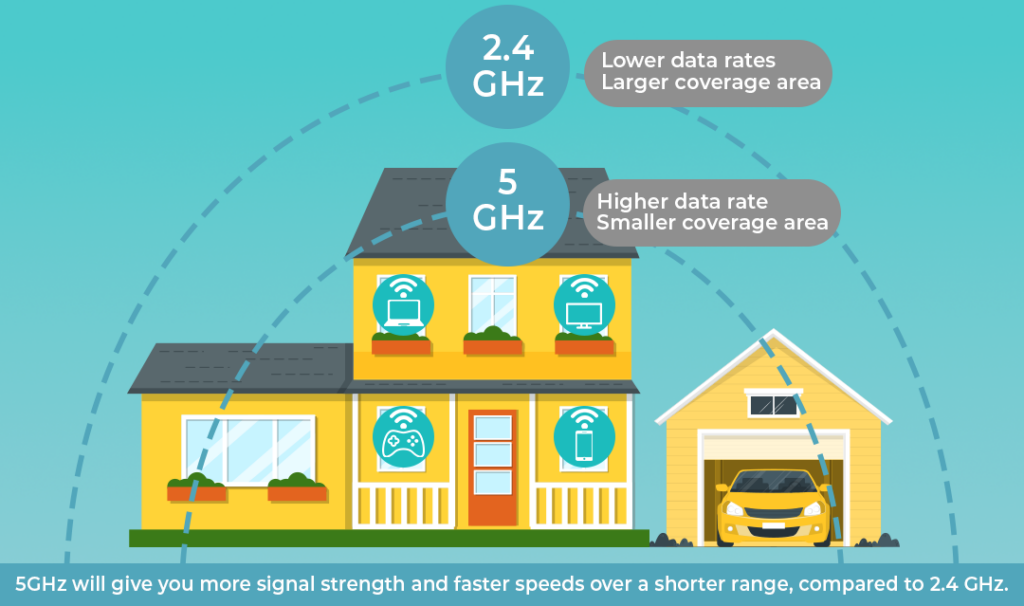
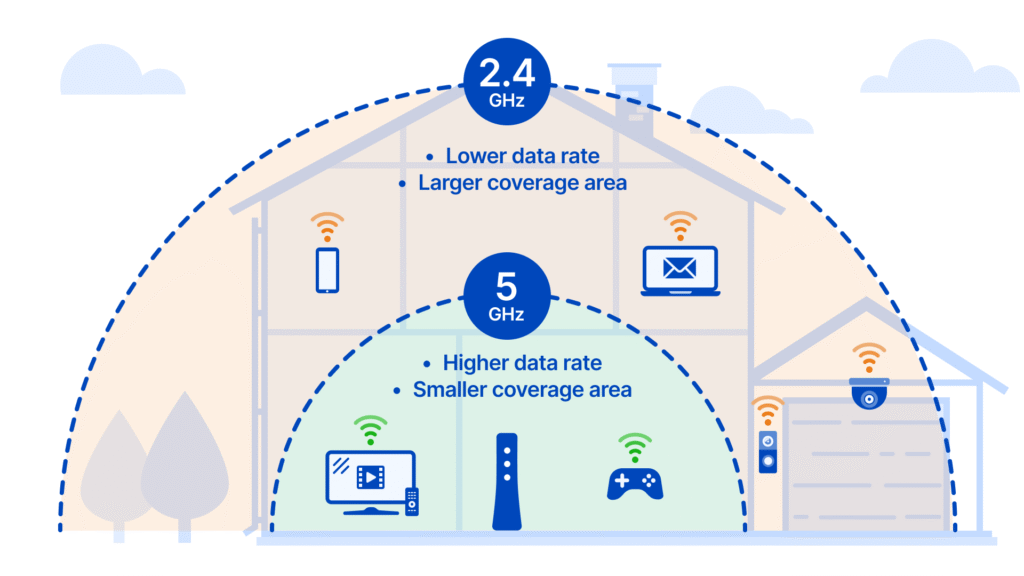
Choosing the right WiFi frequency band can make a huge difference in your home network performance. Indeed, understanding the difference between 2.4GHz and 5GHz WiFi is essential for optimizing speed, range, and reliability. While 2.4GHz provides broader coverage and better penetration through walls, on the other hand, 5GHz offers faster speeds and lower interference for devices close to the router.
Moreover, selecting the appropriate band for your devices ensures smoother streaming, faster downloads, and more stable video calls. As a result, knowing how to balance coverage and speed helps you make informed decisions for your home network. In this guide, we will break down the differences, benefits, and practical usage tips for both 2.4GHz and 5GHz WiFi, so you can enjoy the best possible connectivity in every corner of your home.
What Are 2.4GHz and 5GHz WiFi?
H2: Understanding the 2.4GHz WiFi Band
2.4GHz WiFi has been around for decades. It offers:
- Longer range than 5GHz
- Better penetration through walls and floors
- Slower maximum speed (usually up to 450–600 Mbps)

H3: Devices That Use 2.4GHz WiFi
Most older devices, smart home gadgets, and IoT devices prefer 2.4GHz because of its range and compatibility. Examples:
- Smart bulbs
- Security cameras
- Older smartphones and laptops
Check best routers fo home and small businesses.
H2: Understanding the 5GHz WiFi Band
5GHz WiFi is newer and designed for high-speed connectivity. It offers:
- Faster maximum speeds (up to 1300 Mbps or more on WiFi 5/6 routers)
- Less interference from other devices
- Shorter range walls and floors reduce signal
H3: Devices That Use 5GHz WiFi
Devices needing high bandwidth benefit from 5GHz:
- Gaming consoles
- Streaming devices (4K/8K TV)
- Laptops for video conferencing
For speed testing, visit Speedtest by Ookla
2.4GHz vs 5GHz WiFi Difference; Key Factors
Speed Comparison
- 2.4GHz: Slower, but stable over long distances
- 5GHz: Much faster, ideal for streaming, gaming, and large file transfers
Real-World Speed Considerations
Even if 5GHz is faster, walls or multiple floors can reduce speed dramatically. 2.4GHz can cover more distance but with limited bandwidth.
Range and Coverage
- 2.4GHz: Covers up to 150 feet indoors
- 5GHz: Covers up to 50–100 feet indoors
Choosing the Best Band for Your Home
- Large homes → 2.4GHz for distance, 5GHz for close-range high-speed use
- Dense apartments → 5GHz to avoid interference from neighbors
Interference
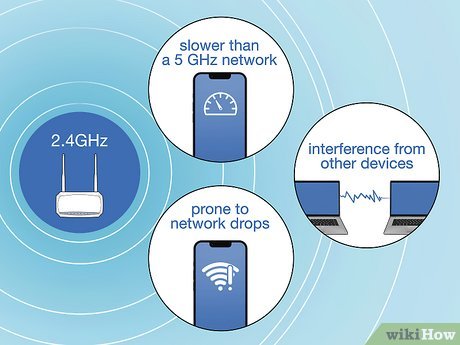
2.4GHz suffers from interference from:
- Microwave ovens
- Bluetooth devices
- Cordless phones
5GHz has more channels and less interference, making it ideal in crowded WiFi environments.
Security
Both 2.4GHz and 5GHz use the same WPA2/WPA3 security protocols.
Security doesn’t depend on frequency, but faster 5GHz connections reduce exposure time for potential attacks in high-bandwidth scenarios.
Device Compatibility
- Older devices → mostly 2.4GHz
- New devices → dual-band or 5GHz capable
- Best practice: Use dual-band routers for flexibility
Which One Should You Use?
| Factor | 2.4GHz | 5GHz |
|---|---|---|
| Range | Long | Short |
| Speed | Moderate | High |
| Interference | High | Low |
| Best For | Smart devices, IoT | Streaming, gaming, video calls |
Tips for Optimal Usage
- Use 2.4GHz for coverage in far rooms
- Use 5GHz for high-speed devices close to the router
- Enable band steering if your router supports it
Advanced Settings for 2.4GHz and 5GHz
- Change channels to avoid interference
- Update router firmware
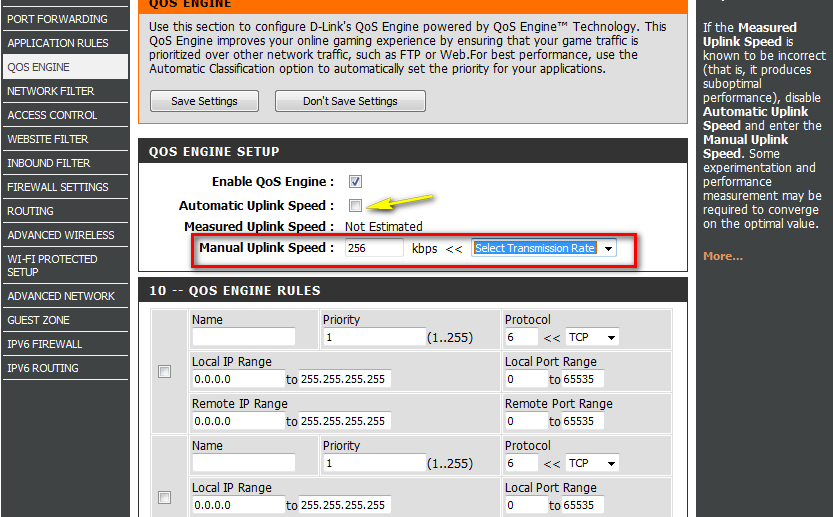
- Use QoS (Quality of Service) to prioritize devices
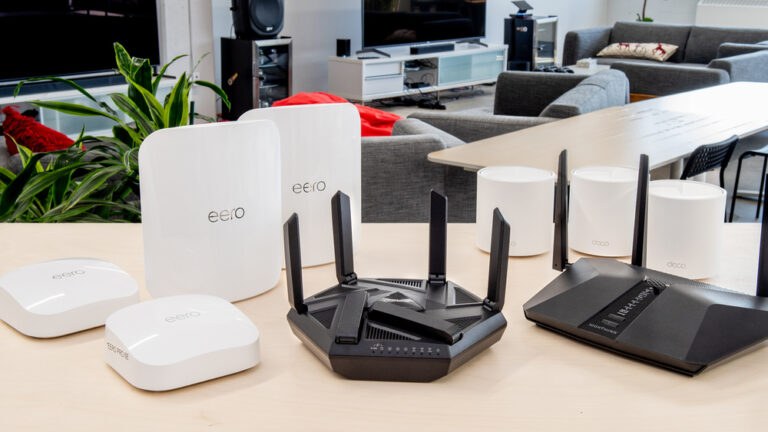
- Consider WiFi extenders or mesh systems for full home coverage
FAQs: 2.4GHz vs 5GHz WiFi Difference for Home Networks
Q1: What is the main difference between 2.4GHz and 5GHz WiFi?
A: Indeed, the primary difference is speed versus coverage. While 2.4GHz offers a wider range and better penetration through walls and obstacles, on the other hand, 5GHz delivers faster speeds with lower interference but covers a shorter distance. Therefore, for larger homes, 2.4GHz may be more reliable in distant rooms, whereas 5GHz is ideal for high-bandwidth devices near the router.
Q2: Which WiFi band is better for streaming, gaming, and video calls?
A: Generally, 5GHz is the preferred choice for activities that demand high speed, such as HD video streaming, online gaming, or large file transfers. However, if your device is located far from the router or separated by multiple walls, 2.4GHz might provide a more stable connection. Consequently, understanding device location and activity type is crucial for optimal performance.
Q3: Can I use both 2.4GHz and 5GHz WiFi simultaneously?
A: Absolutely. Many modern routers are dual-band or tri-band, which allows multiple devices to connect to the frequency that suits them best. Moreover, using both bands simultaneously helps balance the load, prevents congestion, and ensures consistent speeds for all users in your home.
Q4: How do I choose the right WiFi band for each device?
A: Firstly, identify how far the device is from the router and the type of tasks it performs. Secondly, assign 5GHz for high-speed tasks near the router, such as streaming, gaming, or video conferencing. Meanwhile, assign 2.4GHz for devices that are farther away or perform lighter tasks, like web browsing or smart home sensors. Ultimately, this approach maximizes both speed and coverage.
Q5: What factors can reduce WiFi speed on 2.4GHz and 5GHz bands?
A: Indeed, interference is a major factor. For 2.4GHz, other devices like microwaves, cordless phones, or neighboring WiFi networks can cause congestion. Meanwhile, 5GHz is less crowded but loses strength over distance and obstacles. Therefore, optimizing router placement, updating firmware, and minimizing interference sources is key to maintaining high-speed WiFi.
Further Thoughts
Understanding the difference between 2.4GHz and 5GHz WiFi is more than a technical detail in fact, it directly affects how efficiently your home network operates. As smart homes become more common and the number of connected devices grows, managing frequency bands effectively is essential to avoid slow connections, dropped signals, or buffering.
Automatic Band Steering for Better Performance
Moreover, modern routers often include features such as automatic band steering, which intelligently assigns devices to the optimal frequency. Consequently, this reduces congestion, balances network load, and ensures that devices requiring high-speed internet get priority.
Strategic Placement and Security
Furthermore, combining dual-band routers with strategic placement ideally in a central, elevated location significantly improves coverage and performance. Additionally, choosing the right frequency can improve security. Indeed, 5GHz networks are harder to detect from outside your home, which adds a layer of protection compared to the more common 2.4GHz band.
Ultimately, understanding your WiFi bands, device locations, and usage patterns empowers you to make informed decisions, resulting in a faster, more reliable, and safer home network.
Finally, regular network monitoring and occasional firmware updates ensure that your WiFi remains optimized as new devices and applications are added to your home. Thus, staying proactive is the key to consistent performance and an enjoyable internet experience for all family members.
Conclusion
In conclusion, knowing the difference between 2.4GHz and 5GHz WiFi is essential for building a home network that is fast, reliable, and secure. Indeed, 2.4GHz offers better coverage for distant rooms, while 5GHz provides higher speeds for devices near the router. Moreover, dual-band routers allow you to enjoy the benefits of both frequencies simultaneously, providing the best combination of range and speed.
Optimizing Your Network
Therefore, when setting up your home network, consider device placement, usage needs, and potential interference. Consequently, optimizing your WiFi bands and router configuration ensures faster downloads, smoother streaming, and uninterrupted video calls. Furthermore, with strategic planning, proper maintenance, and smart band selection, your home network can remain robust, efficient, and future-ready as more devices connect daily.
The Long-Term Benefits
Ultimately, mastering 2.4GHz vs 5GHz WiFi enables you to enjoy a seamless online experience, prevent frustration, and fully leverage the internet speeds you are paying for. Thus, a well-optimized WiFi network is not just convenient it is essential for productivity, entertainment, and overall digital wellbeing at home.



One Comment